

- by x32x01 ||
AJAX is one of the most important skills for modern web developers. It lets your website talk to the server without reloading the page, which means faster and smoother user experiences ⚡
In this crash course, you’ll learn how AJAX works using pure JavaScript (Vanilla JS) - no jQuery, no frameworks, just clean and clear code.
This tutorial is beginner-friendly, especially if you already know the basics of JavaScript 👍
With AJAX, you can:
The XHR object allows you to:
✅ This code:
💡 This is commonly used for:
This is how real-world apps get:
⚙️ This allows:
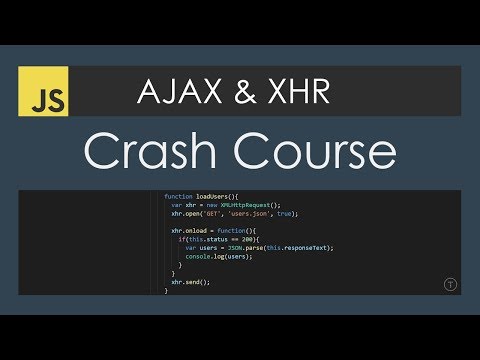
In this crash course, you’ll learn how AJAX works using pure JavaScript (Vanilla JS) - no jQuery, no frameworks, just clean and clear code.
This tutorial is beginner-friendly, especially if you already know the basics of JavaScript 👍
What Is AJAX and Why It Matters 🤔
AJAX stands for Asynchronous JavaScript and XML, but don’t worry - today it works mostly with JSON, not XML.With AJAX, you can:
- Load data in the background 🔄
- Update parts of a page without refresh
- Build fast, dynamic web apps
- Live search 🔍
- Loading comments
- Fetching API data
Understanding the XHR Object 🧠
In Vanilla JavaScript, AJAX is built using the XMLHttpRequest (XHR) object.The XHR object allows you to:
- Send requests to a server 🌐
- Receive data (text, JSON, API responses)
- Handle responses asynchronously
Making Your First AJAX Request (Text File) 📄
Here’s a simple example that loads data from a text file using XHR: JavaScript:
const xhr = new XMLHttpRequest();

xhr.open("GET", "data.txt", true);

xhr.onload = function () {
  if (this.status === 200) {
    console.log(this.responseText);
  }
};

xhr.send();- Creates a new XHR object
- Sends a GET request
- Reads the response without reloading the page
Loading Local JSON Data with AJAX 📦
AJAX becomes powerful when working with JSON files: JavaScript:
const xhr = new XMLHttpRequest();

xhr.open("GET", "users.json", true);

xhr.onload = function () {
  if (this.status === 200) {
    const users = JSON.parse(this.responseText);
    console.log(users);
  }
};

xhr.send();- User data
- Settings
- Configuration files
Fetching Data from an External API 🌍
You can also use AJAX to talk to external APIs: JavaScript:
const xhr = new XMLHttpRequest();

xhr.open("GET", "https://api.example.com/data", true);

xhr.onload = function () {
  if (this.status === 200) {
    console.log(JSON.parse(this.responseText));
  }
};

xhr.send();- Weather data ☁️
- User profiles 👤
- Dynamic content
Using AJAX with PHP Files 🐘
AJAX works perfectly with backend languages like PHP: JavaScript:
const xhr = new XMLHttpRequest();

xhr.open("GET", "server.php", true);

xhr.onload = function () {
  if (this.status === 200) {
    console.log(this.responseText);
  }
};

xhr.send();- Form submission without refresh
- Server-side processing
- Secure data handling
Why Learn AJAX Without jQuery? 🎯
Learning AJAX with Vanilla JS helps you:- Understand how things work internally
- Write lighter and faster code
- Avoid unnecessary dependencies
Watch the Full AJAX Tutorial on YouTube 🎥
For a complete step-by-step explanation, watch the full video here: 👆 Click The Image To Watch The Video 👆
Last edited:


