

- by x32x01 ||
If you're interested in game development using C++ and OpenGL, this live stream session gives you a real-world look at how small game projects are built from scratch.
Unlike structured tutorials, this is a raw development session where ideas are tested live. It’s perfect if you want to see how a self-taught developer approaches game programming, problem-solving, and rendering with OpenGL.
If you want to level up your C++ game development skills, this kind of content is gold 💎
With OpenGL, you can:
Example:
This is the foundation of any OpenGL-based game.
Using shaders and buffers, you can render this triangle to the screen.
This is how every complex 3D game starts - with simple shapes.
Most indie developers learn through:
This live stream shows:
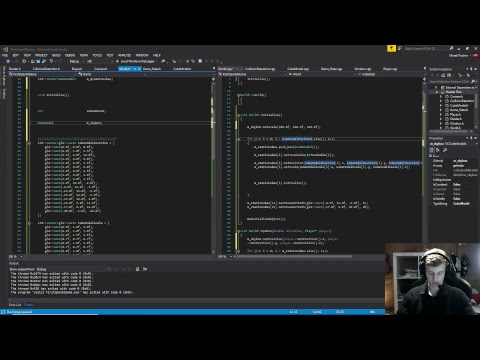
Unlike structured tutorials, this is a raw development session where ideas are tested live. It’s perfect if you want to see how a self-taught developer approaches game programming, problem-solving, and rendering with OpenGL.
If you want to level up your C++ game development skills, this kind of content is gold 💎
Why Learn Game Development with C++? 🚀
C++ is one of the most powerful programming languages for building:- 🎮 Game engines
- 🧠 Physics systems
- ⚡ High-performance applications
- 🖥️ Graphics rendering systems
- High performance
- Memory control
- Low-level hardware access
- Advanced object-oriented design
What Is OpenGL? 🖼️
OpenGL is a graphics API used for rendering 2D and 3D graphics.With OpenGL, you can:
- Draw shapes
- Render 3D objects
- Apply textures
- Create lighting effects
- Build your own mini game engine
What You’ll Learn from This Live Stream 🎯
In this small development session, you’ll see:- How to structure a C++ game project
- How to initialize OpenGL
- Rendering basic shapes
- Handling input
- Game loop logic
- Debugging in real time
Basic C++ Game Loop Example 🔄
Every game needs a loop.Example:
C++:
#include <iostream>
#include <GLFW/glfw3.h>

int main() {
    if (!glfwInit()) return -1;

    GLFWwindow* window = glfwCreateWindow(800, 600, "OpenGL Game", NULL, NULL);
    glfwMakeContextCurrent(window);

    while (!glfwWindowShouldClose(window)) {
        glClear(GL_COLOR_BUFFER_BIT);

        // Render logic here

        glfwSwapBuffers(window);
        glfwPollEvents();
    }

    glfwTerminate();
    return 0;
}Rendering a Simple Triangle in OpenGL 🔺
Example basic rendering setup: C++:
float vertices[] = {
     0.0f,  0.5f, 0.0f,
    -0.5f, -0.5f, 0.0f,
     0.5f, -0.5f, 0.0f
};This is how every complex 3D game starts - with simple shapes.
Being Self-Taught in Game Development 💡
The creator mentions being self-taught - and that’s important.Most indie developers learn through:
- Building small projects
- Watching tutorials
- Experimenting
- Making mistakes
- Improving over time
Common Mistakes Beginners Make ⚠️
When learning C++ and OpenGL:- ❌ Ignoring memory management
- ❌ Writing unstructured code
- ❌ Not separating rendering and logic
- ❌ Overcomplicating small systems
Who Should Watch This? 🎯
This content is ideal for:- Beginner C++ developers
- Graphics programming learners
- Indie game developers
- Anyone building a custom game engine
- Students learning OpenGL
Why C++ and OpenGL Still Matter in 2026 🔥
Even with modern engines like Unity and Unreal, understanding C++ and OpenGL gives you:- Deep understanding of rendering
- Better performance optimization skills
- Ability to build custom engines
- Strong technical foundation
Final Thoughts 📌
Learning game development with C++ and OpenGL takes patience, but it builds powerful skills.This live stream shows:
- Real coding process
- Trial and error
- Practical OpenGL setup
- Game loop implementation
- Hands-on learning
👆 Click The Image To Watch The Video 👆
If you're passionate about game development, start small, build often, and keep improving 🎮🚀 Last edited:


