

- by x32x01 ||
Learn MacBook Basics for Absolute Beginners 🍎💻
If you’re new to MacBook basics or just switched from another computer, this guide walks you through the essentials you must know to start using your Mac computer with confidence. The original video titled MacBook Basics - Getting started on a Mac computer teaches you where to begin with the desktop and how to use basic macOS apps.Let’s break down what you’ll learn from the video and how to get started step-by-step 👇
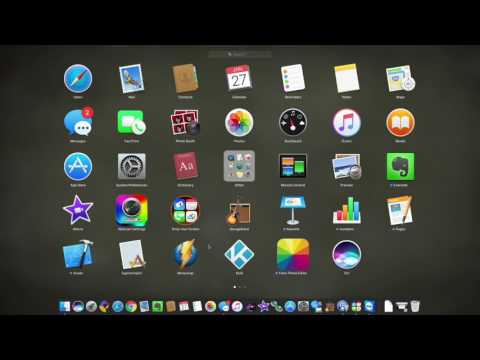
👆 Click The Image To Watch The Video 👆
🖥️ Getting Started with Your MacBook
When you turn on your MacBook for the first time, you’ll be guided through the setup process:✔ Connect to Wi-Fi
✔ Sign in with your Apple ID
✔ Choose language and region
✔ Set up iCloud syncing
Once you finish setup, you’ll see your desktop, which is your main workspace in macOS.
🧭 Navigating the macOS Interface
Here are the core things to know:📍 The Dock
A row of icons at the bottom of your screen that gives fast access to apps like Safari, Finder, and Mail.🔎 Spotlight Search
Press ⌘ + Space to quickly search for apps, files, or settings.📁 Finder
Use Finder to browse folders, manage files, and open apps. It’s like the File Explorer on Windows.📋 Menu Bar
At the top of your screen - it shows app menus, system icons, and status indicators.📦 Basic macOS Apps You’ll Use Every Day
Every MacBook comes with built-in tools you’ll use regularly:- Safari - web browsing
- Mail - email
- Messages - text communication
- Photos - photo organizer
- Notes - quick notes
- Preview - open files
- App Store - install more apps
🌟 Essential Tips for New Users
Here are practical shortcuts and navigation tips every beginner should know: Code:
⌘ + C = Copy
⌘ + V = Paste
⌘ + Q = Quit an app
⌘ + Tab = Switch between apps
⌘ + Space = Search with Spotlight🎯 Final Thoughts: Master the Basics First
Starting with a MacBook doesn’t have to feel overwhelming. Focus on:✔ Using Finder and the Dock
✔ Searching with Spotlight
✔ Learning basic keyboard shortcuts
✔ Exploring built-in apps
Once you grasp these basics, you’ll be ready to explore advanced features and boost your productivity as a developer, network learner, or security enthusiast 👍
Last edited:


