

- by x32x01 ||
AutoCAD Tutorial Course: Complete Beginner to Advanced 🏗️📐
If you want to master AutoCAD from beginner to advanced level, this complete step-by-step course walks you through everything - including building a full 2D house plan and converting it into a 3D model.🎥 Watch the full course here:
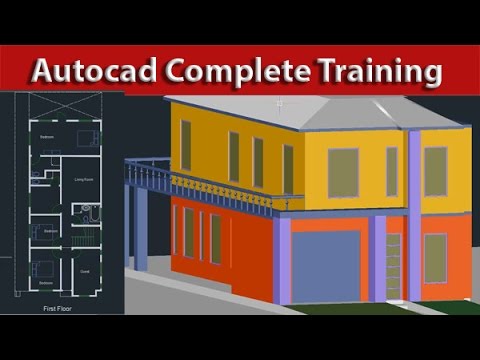
👆 Click The Image To Watch The Video 👆
This training covers real project-based learning, meaning you won’t just learn commands - you’ll apply them in a complete house design project from start to finish.Why Learn AutoCAD? 💡
AutoCAD is one of the most powerful tools used in:✔ Architectural design
✔ Civil engineering
✔ Interior design
✔ Mechanical drafting
✔ Construction planning
Learning AutoCAD drawing and 3D modeling opens the door to professional opportunities in engineering and design industries worldwide.
Setting Up Your AutoCAD Project Properly ⚙️
Before drawing anything, you must configure your workspace correctly.In this course, you’ll learn:
- How to set up drawing units
- How to define drawing limits
- How to define the area of your project
Example command workflow:
UNITS → Set unit type (Decimal/Architectural)
LIMITS → Define drawing boundary
ZOOM → All
Correct setup prevents scaling issues later in your project.
Creating a 2D House Plan Step by Step 🏠
This tutorial walks you through building a complete 2D house plan in AutoCAD.You’ll learn how to:
✔ Draw walls
✔ Create doors and windows
✔ Define room layouts
✔ Use professional drafting techniques
Essential AutoCAD Commands You Must Master 🛠️
The course explains all the core commands used in real projects.Line Command
Used to create straight lines:LINE → Specify first point → Specify next point
The Line tool is the foundation of all drafting work.
Rectangle, Fillet & Chamfer
- Rectangle creates structured shapes quickly.
- Fillet adds rounded corners.
- Chamfer creates angled edges.
Working with Layers in AutoCAD 📂
Professional AutoCAD drawings rely heavily on layer management.You’ll learn:
✔ How to create layers
✔ Assign colors and line types
✔ Apply layers to walls, doors, dimensions
Proper layer organization makes complex drawings easy to manage.
Using Design Center in AutoCAD 2016 📁
The course also covers how to use the Design Center.Design Center helps you:
- Import blocks
- Reuse templates
- Access existing drawing components
Adding Dimensions to Your Drawing 📏
Dimensioning is critical in architectural and engineering drawings.You’ll learn how to:
✔ Add linear dimensions
✔ Adjust text size
✔ Align measurements correctly
Dimensions make your drawing professional and construction-ready.
Creating Elevation from a 2D Plan 🏢
After completing the floor plan, the course explains how to create the elevation view.Elevation shows:
- Wall height
- Window positioning
- Roof structure
Complete 3D Modeling from the 2D Plan 🧱
One of the most powerful parts of this course is converting your 2D house plan into a full 3D model.You’ll learn:
✔ How to extrude walls
✔ Convert floor plan into 3D structure
✔ Understand 3D navigation
✔ View your model from multiple angles
This bridges the gap between drafting and visualization.
Who Is This AutoCAD Course For? 👷♂️
This complete AutoCAD training is perfect for:- Architecture students
- Civil engineering students
- Interior designers
- Drafting beginners
- Construction professionals
Final Thoughts on Learning AutoCAD 🏆
Mastering AutoCAD 2D and 3D modeling is one of the most valuable technical skills in engineering and architecture.This complete beginner-to-advanced course teaches:
- Accurate drafting
- Layer management
- Dimensioning
- Elevation drawing
- Full 3D modeling
Start designing. Keep practicing. Build real projects.
That’s how you master AutoCAD.
Last edited:


