

- by x32x01 ||
Using GitHub with Visual Studio 2017 makes your development workflow faster and more organized. It helps you manage source code, track changes, and work on real projects like a professional developer 👨💻✨.
In this tutorial, you will learn how to integrate GitHub with Visual Studio 2017 using the official GitHub plugin, while working on a simple Web Services project.
When you connect it with Visual Studio 2017, you can:
✅ Push and pull code easily
✅ Track code changes and history
✅ Work on projects safely
✅ Collaborate with other developers
This setup is perfect for beginners and professionals alike 💡.
🔹 How to install GitHub plugin for Visual Studio 2017
🔹 Connect Visual Studio to your GitHub account
🔹 Create and clone repositories
🔹 Commit and push code changes
🔹 Manage a simple Web Services project
Everything is explained in a clear and simple way 👍.
This workflow helps you keep your project organized and secure 🔐.
👉 https://github.com/discospiff/Web-Services
This will help you follow along and practice on real code 🧠.
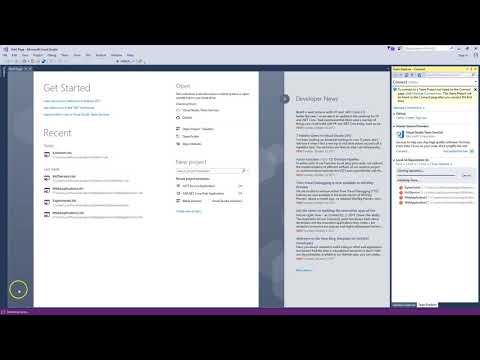
In this tutorial, you will learn how to integrate GitHub with Visual Studio 2017 using the official GitHub plugin, while working on a simple Web Services project.
Why Use GitHub with Visual Studio? 🤔
GitHub is one of the most popular version control platforms in the world 🌍.When you connect it with Visual Studio 2017, you can:
✅ Push and pull code easily
✅ Track code changes and history
✅ Work on projects safely
✅ Collaborate with other developers
This setup is perfect for beginners and professionals alike 💡.
What You Will Learn in This Tutorial 📚
This video tutorial focuses on real usage, not theory only. You will learn:🔹 How to install GitHub plugin for Visual Studio 2017
🔹 Connect Visual Studio to your GitHub account
🔹 Create and clone repositories
🔹 Commit and push code changes
🔹 Manage a simple Web Services project
Everything is explained in a clear and simple way 👍.
Simple GitHub Workflow Example 💻
Here is a basic Git workflow inside Visual Studio: Code:
git init
git add .
git commit -m "Initial commit"
git push origin main
Get the Source Code and GitHub Repository 📂
You can check the source code and the GitHub repository used in this tutorial here:👉 https://github.com/discospiff/Web-Services
This will help you follow along and practice on real code 🧠.
Watch the Full Tutorial on YouTube ▶️
Watch the complete video and start using GitHub with Visual Studio today: 👆 Click The Image To Watch The Video 👆
Last edited:


