

- by x32x01 ||
Learn EVERYTHING About Premiere Pro - Complete Tutorial 🎬🔥
If you want to master Adobe Premiere Pro video editing from beginner to advanced level, this complete tutorial covers everything you need in one place.🎥 Watch the full course here:
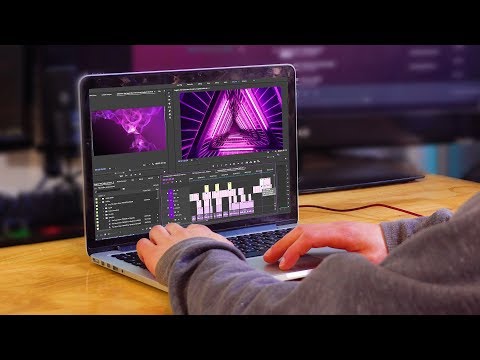
👆 Click The Image To Watch The Video 👆
This step-by-step training walks you through editing, color grading, transitions, keyframes, speed ramps, exporting, and advanced effects - making it one of the most complete Premiere Pro tutorials available.Whether you're a content creator, YouTuber, freelancer, or filmmaker, this guide will help you build real editing skills.
Getting Started with Premiere Pro 🖥️
Before editing, you must understand the interface and workflow.You’ll learn how to:
✔ Create a new project
✔ Understand the Premiere Pro layout
✔ Import and organize media files
✔ Create a sequence
✔ Add clips to the timeline
Understanding the timeline workflow is the foundation of professional video editing.
Premiere Pro Basics: Editing Like a Pro ✂️
This section covers essential video editing techniques:- Cutting and trimming clips
- Using editing tools
- Keyboard shortcuts
- Adjusting clip dimensions and scale
Some useful shortcuts:
Code:
C = Razor Tool
V = Selection Tool
Ctrl/Cmd + K = Cut Clip
Spacebar = Play / PauseTitles & Text in Premiere Pro 📝
Every great video needs strong titles.You’ll learn:
✔ Creating basic titles
✔ Using graphic templates
✔ Making simple animated titles
✔ Saving custom text presets
Creating reusable text presets saves time on future projects.
Transitions: Smooth & Professional Effects 🔄
Transitions improve video flow when used correctly.This course explains:
- Default transitions
- Creating custom transitions
- Using plugin transitions
Color Correction & Color Grading 🎨
One of the most important skills in Premiere Pro editing is color control.Color Correction vs Color Grading
- Color Correction fixes exposure, white balance, and lighting issues.
- Color Grading creates a cinematic style or mood.
✔ Use Lumetri Color panel
✔ Apply custom LUTs
✔ Adjust curves
✔ Add vignette
✔ Use adjustment layers for grading
Color grading can instantly transform your footage into cinematic-quality video.
Keyframes: The Secret to Professional Animation 🎥
Understanding keyframes in Premiere Pro unlocks powerful editing possibilities.You’ll learn:
- What keyframes are
- Adjusting audio with keyframes
- Animating text
- Automatic mask tracking
- Improving motion with smooth transitions
Exporting in Premiere Pro 📤
Export settings determine final video quality.You’ll learn how to:
✔ Export basic videos
✔ Export screenshots
✔ Use export presets
✔ Export with transparent background
✔ Export at maximum quality
✔ Export multiple presets at once
Recommended export for YouTube:
Format: H.264
Preset: YouTube 1080p
Choosing correct export settings ensures high-quality output without massive file sizes.
Speed Adjustments & Speed Ramps ⚡
Speed effects add energy and creativity.This section covers:
- Basic speed adjustments
- Speed ramps
- Speed ramp transitions
Advanced Effects in Premiere Pro 🚀
This is where your editing becomes next-level.You’ll learn:
✔ Adding visual effects
✔ Stabilizing shaky footage
✔ Using green screen (chroma key)
✔ Automating clips to match a music beat
✔ Syncing audio and video instantly
✔ Creating a retro VHS look effect
These advanced techniques are widely used in YouTube videos, ads, and professional filmmaking.
What Skills Will You Have After This Course? 🎓
By the end of this complete Premiere Pro tutorial, you’ll be able to:- Edit videos confidently
- Create smooth transitions
- Apply cinematic color grading
- Animate text and objects
- Export high-quality videos
- Use professional-level editing techniques
Who Is This Premiere Pro Course For? 👨💻
This tutorial is perfect for:- YouTubers
- Content creators
- Social media managers
- Freelance video editors
- Film students
- Marketing professionals
Final Thoughts on Learning Premiere Pro 🏆
Premiere Pro is one of the most powerful video editing software tools available today. From basic cuts to advanced color grading and motion effects, this tutorial covers everything step by step.Practice consistently. Edit real projects. Experiment with effects.
That’s how you become a professional video editor.
Last edited:


