

- by x32x01 ||
Learning how to use the internet the right way is one of the most important digital skills today 💡. Whether you are a student, a developer, or someone just starting their online journey, understanding internet basics will save you time, increase productivity, and keep you safe online. This guide is written in simple, human-friendly English, easy to read, and optimized for SEO so you can learn and practice step by step.
This article is perfect for beginners who want to feel confident while browsing the web, using browsers, managing files, and understanding how the internet works behind the scenes 🚀.
At a basic level, when you open a website, your browser sends a request to a server, and the server responds with data like HTML, CSS, JavaScript, images, or videos.
Key things the internet allows you to do:
Browsers do more than just open websites. They also:
Best practices for tabs:
These shortcuts save time and boost productivity, especially for developers and students.
Why bookmarks matter:
Smart downloading tips:
Example:
URL parts explained:
Important security rules:
Smart search tips:
This is extremely useful for developers, researchers, and students 📚.
You can open them by pressing:
What you can do with DevTools:
Take your time, practice daily, and always stay curious 🚀. The internet is a powerful tool - use it wisely.
This article is perfect for beginners who want to feel confident while browsing the web, using browsers, managing files, and understanding how the internet works behind the scenes 🚀.
What Is the Internet? 🤔
The internet is a massive global network that connects millions of computers, servers, and devices around the world 🌍. It allows you to access websites, send emails, watch videos, learn programming, and even test network security.At a basic level, when you open a website, your browser sends a request to a server, and the server responds with data like HTML, CSS, JavaScript, images, or videos.
Key things the internet allows you to do:
- Browse websites
- Watch online videos
- Learn programming and networking
- Communicate using email and chat
- Download and upload files
Web Browsers Explained 🧭
A web browser is the tool you use to access the internet. Popular browsers include Chrome, Firefox, Edge, and Safari.Browsers do more than just open websites. They also:
- Render HTML and CSS
- Run JavaScript code
- Manage cookies and cache
- Protect you from unsafe websites
- Tabs and windows
- Bookmarks
- Downloads manager
- Private (incognito) mode
Managing Tabs and Windows Like a Pro 🗂️
Tabs allow you to open multiple websites inside one browser window. Windows let you separate tasks.Best practices for tabs:
- Group tabs by topic
- Close unused tabs to save memory
- Pin important tabs
Code:
Ctrl + T  → Open new tab
Ctrl + W  → Close current tab
Ctrl + Shift + T → Reopen closed tab
Ctrl + Tab → Switch between tabsBookmarking Websites for Quick Access ⭐
Bookmarks help you save important websites so you can return to them later with one click.Why bookmarks matter:
- Save learning resources
- Organize coding tutorials
- Store tools and dashboards
- Programming
- Networking
- Cybersecurity
- Tools
Downloading and Managing Files Safely 📥
When you download files from the internet, always be careful. Files can include documents, images, software, or scripts.Smart downloading tips:
- Download only from trusted sources
- Avoid unknown
.exeor.zipfiles - Scan files with antivirus software
Understanding URLs and Websites 🔗
A URL (Uniform Resource Locator) is the address of a website.Example:
https://www.example.com/pageURL parts explained:
https→ Secure protocolexample.com→ Domain name/page→ Specific resource
Basic Internet Security for Beginners 🔐
Security is critical when using the internet. One mistake can expose your data or system.Important security rules:
- Use strong passwords
- Enable two-factor authentication
- Avoid clicking unknown links
- Do not share personal information
Using Search Engines Effectively 🔍
Search engines like Google help you find information fast. But knowing how to search correctly makes a huge difference.Smart search tips:
- Use clear keywords
- Add quotes for exact phrases
- Use site: to search inside a website
youtube.com internet basics tutorialThis is extremely useful for developers, researchers, and students 📚.
Introduction to Developer Tools 🛠️
Modern browsers include Developer Tools, which are very important for learning programming and debugging websites.You can open them by pressing:
F12What you can do with DevTools:
- Inspect HTML and CSS
- Test JavaScript code
- Analyze network requests
- Debug errors
How the Internet Helps You Learn Programming 💻
The internet is the best learning platform for coding. You can access:- Free tutorials
- Documentation
- Online courses
- Developer communities
Watching the Full Tutorial on YouTube 🎥
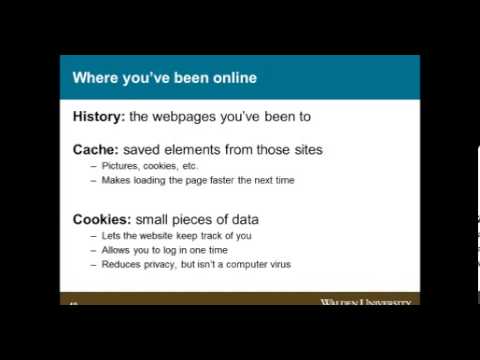
To reinforce everything you learned, you can watch this beginner-friendly video tutorial: 👆 Click The Image To Watch The Video 👆
Watching while practicing is the fastest way to improve your skills.Final Thoughts 🌟
Learning internet basics is not optional anymore - it is a core skill. Once you understand browsers, tabs, security, downloads, and basic tools, you unlock the door to programming, networking, and ethical hacking.Take your time, practice daily, and always stay curious 🚀. The internet is a powerful tool - use it wisely.
Last edited:


