

- by x32x01 ||
Want to control an Android phone using another Android phone? 🤯
This guide explains the idea in a simple and practical way, perfect for developers, IT learners, and anyone interested in remote access, mobile security, and device management 🔐💻
Remote Android control is useful for technical support, device testing, learning Android internals, and even ethical hacking labs.
This is commonly done using screen sharing tools, debugging features, or secure remote protocols.
Popular use cases include:
If the device is connected correctly, you’ll see its ID in the list 📋
This is the first step before sending remote commands like screen capture or input control.
Always remember:
This guide explains the idea in a simple and practical way, perfect for developers, IT learners, and anyone interested in remote access, mobile security, and device management 🔐💻
Remote Android control is useful for technical support, device testing, learning Android internals, and even ethical hacking labs.
🔗 What Does Remote Android Control Mean?
Remote control means you can see the screen, send touch actions, and manage apps on one Android device using another Android device 📡This is commonly done using screen sharing tools, debugging features, or secure remote protocols.
Popular use cases include:
- 📞 Helping friends or clients fix phone issues
- 🧪 Testing Android apps remotely
- 🔍 Learning mobile security concepts
- 🛠️ Managing devices without touching them
⚙️ Basic Requirements to Control Android Remotely
Before starting, you usually need:- ✅ Two Android devices
- 🌐 Internet or local network connection
- 🧩 A remote control or screen sharing app
- 🔓 Proper permissions enabled on the target device
💻 Simple Example Using ADB (Concept)
Here’s a basic example that shows how ADB can list connected Android devices:adb devicesIf the device is connected correctly, you’ll see its ID in the list 📋
This is the first step before sending remote commands like screen capture or input control.
⚠️ ADB requires Developer Options and USB Debugging to be enabled.
🔐 Is Remote Android Control Safe?
Yes, if used correctly 👍Always remember:
- 🔒 Show permission dialogs clearly
- 🚫 Never access devices without consent
- 🛡️ Use trusted apps and secure connections
🎥 Watch the Full Tutorial on YouTube
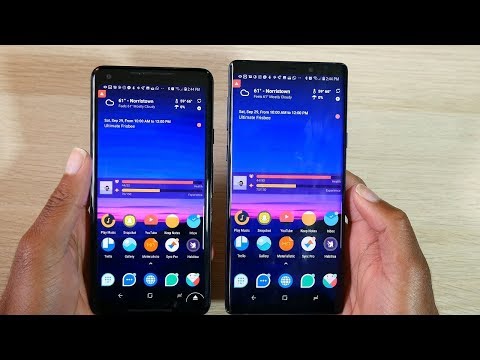
You can watch a step-by-step video tutorial explaining how to control Android from Android here 👇 👆 Click The Image To Watch The Video 👆
The video explains everything clearly and is easy to follow for beginners 🎯📺✅ Why You Should Learn This Skill
- 🚀 Improve your Android troubleshooting skills
- 🧠 Understand how mobile devices communicate
- 🔐 Learn real-world mobile security concepts
- 💼 Useful for developers and IT professionals
Last edited:


