

- by x32x01 ||
Have you ever opened Windows Task Manager and wondered what’s really happening under the hood? 🤔
This tool looks simple, but behind it there’s a deep and fascinating story full of real Windows source code, smart design decisions, and classic Win32 programming.
In this article, we’ll explore the secret history of Windows Task Manager, how it was built, and why understanding it can level up your skills in Windows internals, system programming, and debugging 💻🚀
A retired Microsoft engineer, Dave Plummer (Davepl), walks through the real code and explains:
Here’s a simplified example to understand the idea 👇
📌 This is where Windows Task Manager begins before handling processes, threads, and performance data.
Later in the code, Task Manager uses:
It’s carefully drawn using simple but efficient techniques:
This tool looks simple, but behind it there’s a deep and fascinating story full of real Windows source code, smart design decisions, and classic Win32 programming.
In this article, we’ll explore the secret history of Windows Task Manager, how it was built, and why understanding it can level up your skills in Windows internals, system programming, and debugging 💻🚀
🔍 Inside the Real Windows Task Manager Source Code
One of the most exciting parts of this story is that the actual source code of Windows Task Manager was shared in a special technical series.A retired Microsoft engineer, Dave Plummer (Davepl), walks through the real code and explains:
- How WinMain starts the application 🧠
- How Windows messages are handled
- How CPU and memory graphs are drawn 📊
- Why some design choices were made decades ago - and still work today
🧠 From WinMain to Drawing Performance Graphs
The journey starts with WinMain, the entry point of most classic Windows applications.Here’s a simplified example to understand the idea 👇
C:
#include <windows.h>

int WINAPI WinMain(HINSTANCE hInstance, HINSTANCE hPrevInstance,
                   LPSTR lpCmdLine, int nCmdShow) {
    MessageBox(NULL, "Task Manager Started!", "Info", MB_OK);
    return 0;
}Later in the code, Task Manager uses:
- GDI APIs to draw graphs 🖌️
- Timers to refresh CPU usage
- Low-level system calls to read process information
📊 How Task Manager Draws Those Classic Graphs
The famous green CPU graph isn’t magic 🎨It’s carefully drawn using simple but efficient techniques:
- Grid-style background
- Repeated sampling of system performance
- Smart repainting to avoid lag
- GUI programming
- Performance optimization
- Real-time system monitoring
🎓 Why This Matters for Programmers & Security Researchers
Understanding how Windows Task Manager works helps you:- Debug stuck or high-CPU applications 🐞
- Learn Windows internals deeply
- Improve malware analysis & reverse engineering 🔐
- Write better system-level tools
▶️ Watch the Full Technical Walkthrough on YouTube
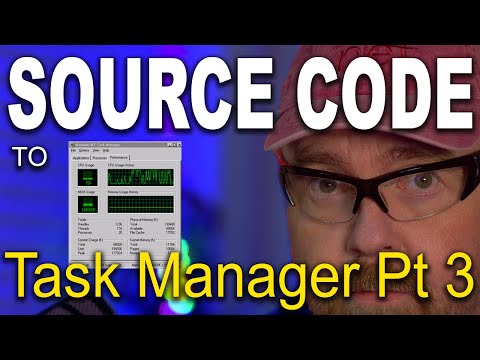
If you want the full deep dive straight from a Microsoft engineer, don’t miss this video 👇 👆 Click The Image To Watch The Video 👆
You’ll never look at Task Manager the same way again 😮 Last edited:


