
Download YouTube playlists, channels, and videos easily with YouTube Playlist Downloader. Free, open-source tool with formats, themes, and features.
If the files don’t appear after downloading, try running the program as Administrator, or change the save location to another drive (preferably D or any drive other than C, since Windows often protects the C drive).
🎬 YouTube Playlist Downloader
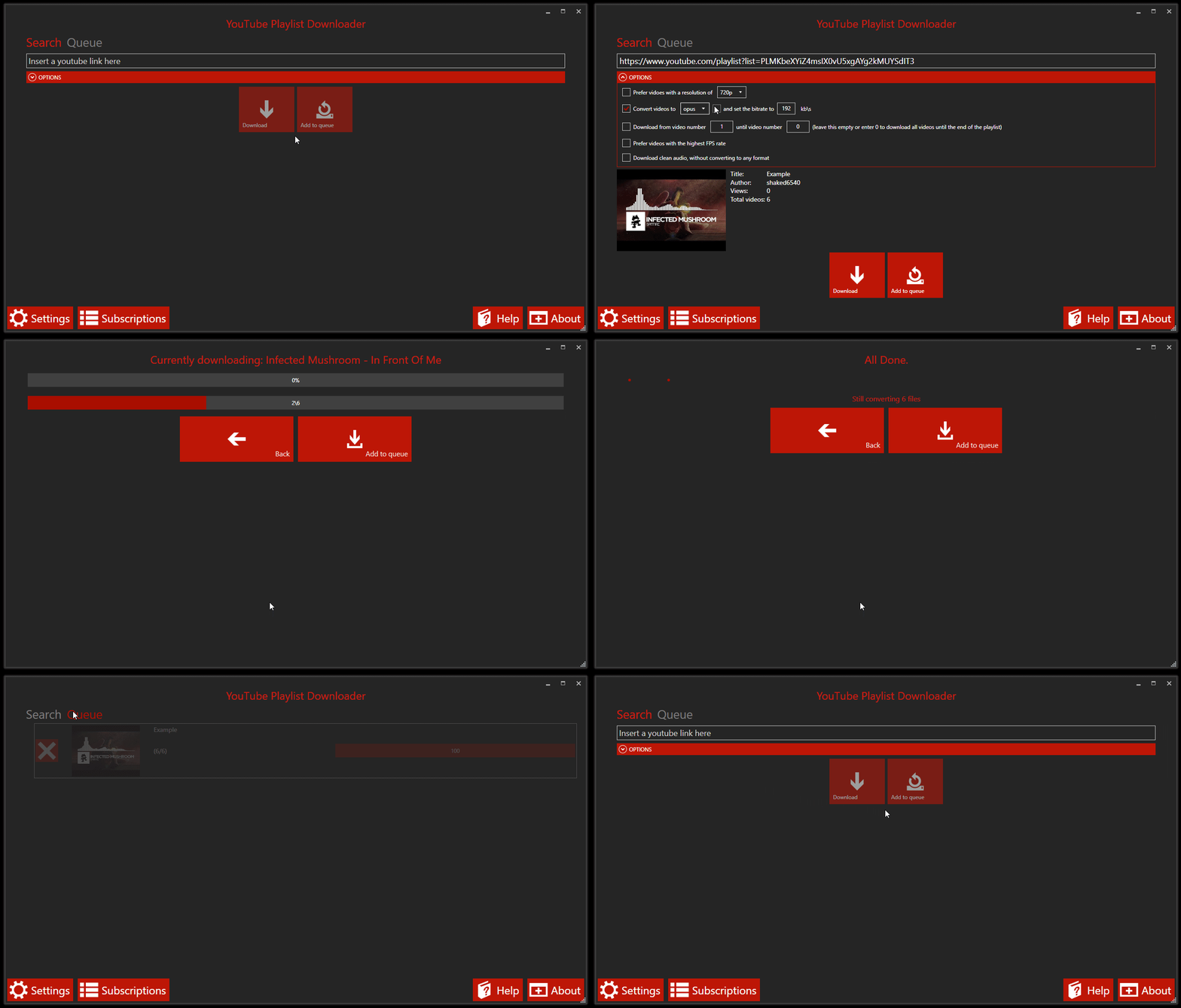
YouTube Playlist Downloader is a simple and easy-to-use program that lets you download full YouTube playlists, entire channels, or even single videos with just a few clicks 📥If the files don’t appear after downloading, try running the program as Administrator, or change the save location to another drive (preferably D or any drive other than C, since Windows often protects the C drive).
❓ What is this tool ?
It’s a lightweight application designed to help you:- 🎵 Download full YouTube playlists
- 📺 Download entire channels
- 🎥 Download single videos
⚙️ Features
This program comes with powerful and useful features:- 🚫 No ads - free and open-source
- 🎧 Convert videos into many popular formats
- 🎨 Themes and user-friendly interface
- 🏷️ Automatic tagging (artist, album, title, genre based on video title)
- 🔄 Easy and comfortable update system
- 🌍 Multi-language support including:
English, Arabic, Chinese, Dutch (NL), French, German, Hebrew, Italian, Polish, Portuguese (BR), Romanian, Russian, Spanish, and Turkish
📌 Important Note
If downloaded files don’t show up:- Run the program as Administrator ⚠️
- Or change the save directory to another drive (C drive is often restricted)