TabCode Community Feed

Join TabCode to share programming ideas, cybersecurity insights, AI updates, and connect with developers and technology enthusiasts.
x32x01
x32x01 ·
Posted in Numerical Systems & Algorithms Forum
7 0

Production Outage: What to Do First

If production goes down right now, what's the first thing you should do?
Most developers will say: "Check the logs and find the root cause."
Sounds reasonable, right? But Google's Site Reliability Engineering (SRE) guidance challenges that instinct.
Your first priority isn't finding the bug. It's restoring the service.
Why? Because while you're investigating the root cause, your customers are still experiencing an outage. Finding the problem doesn't help them if the system is still down.


Here's the right approach. 🚨

1. Restore the Service First​

Focus on getting production back online, even if you don't know exactly what caused the outage.
Depending on the situation:
  • 🔄 Recent deployment? Roll back to the last known good version.
  • 🚩 New feature causing issues? Disable it using a feature flag.
  • 🖥️ One cluster is down? Redirect traffic to healthy clusters.
  • 📈 System overloaded? Disable nonessential workloads to reduce pressure.
The goal is to stop the impact on customers as quickly as possible.


2. Preserve Evidence and Communicate​

Before making changes that could destroy useful evidence, capture relevant logs, metrics, and system state.
You'll need this information later to understand what happened.
Also, keep your team informed:
  • Explain what you know.
  • Share what you're doing.
  • Assign clear responsibilities.
  • Avoid having multiple engineers make conflicting changes.
Good communication prevents an outage from becoming even worse. 😅


3. Find the Root Cause​

Once the service is stable again, start investigating.
A good starting point is the most recent change:
  • Code deployments.
  • Configuration changes.
  • Infrastructure updates.
  • Traffic or workload changes.
Look for what changed shortly before the outage. Often, a previously healthy system starts failing because something around it changed.


4. Write a Blameless Postmortem​

After resolving the incident, document what happened.
A good postmortem should explain:
  • What happened?
  • What caused the incident?
  • How was it detected?
  • How was service restored?
  • What can prevent it from happening again?
Focus on improving the system, not blaming individuals.
The goal is to understand what allowed the failure to happen and prevent similar incidents in the future.


💡 What's the Interviewer Really Looking For?​

This question isn't just testing your debugging skills.
The interviewer wants to know whether you understand production responsibilities.
A strong answer demonstrates that you:
  • Prioritize customer impact over debugging.
  • Know how to mitigate an outage quickly.
  • Understand incident communication.
  • Can investigate root causes after recovery.
  • Believe in blameless postmortems.
These skills matter whether you're interviewing for a DevOps, Backend, SRE, or QA Engineer position.
Remember: In production, restoring the service comes before finding someone or something to blame.

x32x01
x32x01 ·
Posted in AI Projects & Showcases
5 0

AI and Junior Developer Jobs: The 19% Gap

19%. That's the employment gap researchers found among young workers in AI-exposed jobs. And it's getting bigger.
A study published by Stanford University in August 2026 analyzed payroll data from ADP covering millions of U.S. workers through June 2026.
The findings are worth paying attention to, especially if you're just starting your career in tech.
Here are the three biggest takeaways:

📉 1. Junior workers are feeling the pressure first​

Employment among workers aged 22–25 in highly AI-exposed occupations was about 19% below where it would have been if it had kept pace with similarly aged workers in less AI-exposed occupations.
That gap was 15% in the July 2025 data. Now it's 19%.
Interestingly, experienced workers showed no comparable gap.

🏢 2. Companies are hiring fewer juniors, not necessarily firing more people​

The researchers found that the main pattern appears to be reduced hiring of young workers rather than increased layoffs.
In other words, the biggest challenge may be getting your first job, not necessarily keeping one.

🧠 3. Not all AI-related jobs are affected equally​

The decline is concentrated in jobs where AI replaces tasks previously performed by humans.
But in roles where AI helps people do their jobs rather than replacing them, employment remains stable or is growing.
That's an important distinction.

🌍 Is the future of junior developers really that bad?​

Not necessarily.
The Linux Foundation's 2026 State of Tech Talent Report, based on a survey of 400 hiring and training professionals worldwide, found some encouraging numbers:
  • 📈 +8%: Net hiring effect for entry-level technical roles.
  • 🔐 57%: Organizations reported capability gaps in AI security and risk management.
  • ⚙️ 57%: Organizations reported gaps in AI operations and monitoring.
  • 🛡️ 48%: Organizations identified security concerns as a major barrier to AI adoption, up from 17% in 2024.
These numbers suggest that companies still need technical talent, but the skills they need are changing.

🚀 What should you learn if you're starting in tech?​

Here's what I'd focus on:
  1. Code Review: Can you read AI-generated code, understand it, and identify mistakes instead of blindly copying it?
  2. Deployment: Have you deployed something you've built and dealt with real production problems?
  3. Testing: Can you write tests and understand when they actually verify something correctly?
  4. Security: Do you understand the difference between an overprivileged access token and one with only the permissions it needs?
  5. Real Projects: Do you have at least one working project you can demonstrate and discuss with actual results during an interview?
You don't need to know everything. But you should be able to show that you can build, test, deploy, troubleshoot, and secure something real.

⚠️ One important clarification​

The Stanford research focuses on the U.S. job market, not Egypt.
Also, the researchers describe these findings as early indicators, not proof that AI alone caused the employment decline.
So don't assume the same 19% figure applies to the Egyptian job market.

💡 My Take​

I don't think the right question is whether AI will eliminate junior developers.
The better question is:
Are you learning the tasks AI can already do on its own, or are you learning how to build, operate, monitor, and secure the systems that use AI?

Ask yourself:
  • Can I understand and debug code written by AI?
  • Can I deploy an application and fix it when something breaks?
  • Can I write meaningful tests?
  • Do I understand basic infrastructure and security?
  • Can I demonstrate a real project with measurable results?
Personally, I'm moving more toward automation and infrastructure in my own work.

I believe these areas need people who understand how systems work, how to operate them, and how to keep them secure — not just people who can write code faster.
AI can generate code. But knowing whether that code is correct, secure, reliable, and ready for production is a different skill entirely.

📚 Sources:
x32x01
x32x01 ·
Posted in Tech & Innovation News Hub
22 0

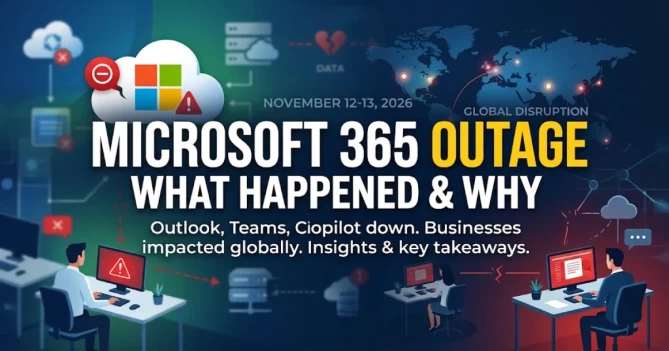
Microsoft 365 Outage: What Happened and Why

A major Microsoft 365 outage on November 12-13, 2026, disrupted essential business services worldwide, including Outlook, Microsoft Teams, Copilot, and parts of SharePoint.
The disruption affected businesses, financial institutions, and government agencies. Some organizations even had to return to traditional communication methods, such as phone calls, fax machines, and paper documents, to keep their operations running.
Here's what happened, why Microsoft's infrastructure struggled, and what businesses can learn from the incident.


⚠️ Which Microsoft Services Were Affected?​

The outage affected multiple services connected to Microsoft's cloud infrastructure.

The main affected services included:
  • Outlook: Users experienced problems accessing email, sending messages, and receiving incoming emails.
  • Microsoft Teams: Some features, including calendar integration, meeting scheduling, and certain messaging functions, experienced disruptions. Core messaging and online meetings remained largely functional.
  • Microsoft Copilot: Some users couldn't access Copilot Chat or receive responses.
  • SharePoint Online: Features dependent on Exchange Online were affected, although direct access to stored files remained functional.
  • Microsoft 365 Admin Center: Administrators experienced problems accessing certain management features.
  • Other services: Microsoft Planner, To Do, Defender, Power BI, and Microsoft Graph also experienced disruptions in specific features.
These problems were connected to shared Microsoft infrastructure, meaning an issue affecting one underlying component could impact several products simultaneously.


🔍 Why Did Microsoft 365 Go Down?​

The outage was caused by problems within Microsoft's server infrastructure, not by a worldwide internet failure or problems with users' computers.
According to Microsoft's incident updates, a large number of servers unexpectedly became unavailable. This shifted traffic to the remaining infrastructure, increasing the load and making recovery more difficult.

Here's how the situation developed:
  1. Unexpected server failures: A number of servers became unavailable across multiple regions.
  2. Increased infrastructure load: Remaining servers received additional requests and struggled to handle the load.
  3. Failed recovery attempts: Some servers became unresponsive again after Microsoft returned them to service and traffic started flowing through them.
  4. Service disruptions: Because several Microsoft products depend on shared infrastructure, the problems spread across multiple services.
Microsoft attempted to redistribute traffic, restore server capacity, and rebuild some affected servers using an earlier software configuration.

Was it a cyberattack?
Microsoft reported that it had found no indication of malicious activity behind the incident. The company was investigating infrastructure availability and traffic management problems.
However, the final root cause had not been fully established as of November 13, 2026.


📠 Why Did Some Organizations Return to Fax Machines and Paper?​

One of the most surprising consequences of the outage was that some organizations had to rely on older communication methods to continue working.
01.webp
Some reported examples included:
  • Japan: A financial institution reportedly used fax machines to confirm securities transactions when email services were unavailable.
  • Shipping companies: Maersk asked customers to use phone calls for urgent matters.
  • Financial institutions: Some organizations activated incident response teams and alternative communication procedures.
  • Other businesses: Organizations relied on backup phone numbers and alternative file-sharing methods.
These examples highlight how quickly everyday business operations can be affected when essential cloud services become unavailable.


📊 How Big Was the Microsoft Outage?​

The incident affected users and organizations across multiple countries.

Here are some reported figures:
74 Countries with reported Outlook disruptions
2,000× Peak Outlook reports compared with normal levels
450M+ Paid commercial Microsoft 365 subscriptions
24+ hrs Duration of the disruption as it entered its second day
Sources: Associated Press, Microsoft incident reports, and Downdetector reporting. The subscription figure represents the platform's commercial reach, not the number of confirmed outage victims.


🛠️ Has Microsoft Fixed the Problem?​

As of November 13, 2026, Microsoft had started restoring services gradually, but the incident had not been fully resolved.
The company reported improvements in infrastructure capacity and email delivery, although some users continued experiencing intermittent errors and delayed messages.

You can monitor Microsoft's official service status through:


🔐 What Can Businesses Learn From This Incident?​

The biggest lesson is that relying entirely on a single cloud provider can create a Single Point of Failure.
Even major technology companies can experience infrastructure failures that affect millions of users.

Businesses should consider the following precautions:
  1. Alternative communication: Maintain independent communication channels for emergencies.
  2. Local backups: Keep secure local copies of critical business documents and data.
  3. Alternative email access: Have a tested backup email solution for essential operations.
  4. Business continuity plans: Define how employees will continue working during cloud service disruptions.
  5. Regular testing: Test disaster recovery procedures instead of simply documenting them.
A backup plan is only useful if it works when the primary system fails.


💡 Final Thoughts​

The Microsoft 365 outage didn't bring down the internet or stop computers worldwide. It exposed how dependent modern businesses have become on a relatively small number of cloud providers.
When essential infrastructure becomes unavailable, even simple tasks like sending an email, scheduling a meeting, or sharing a document can become difficult.
For developers, network engineers, cybersecurity professionals, and system administrators, this incident is a reminder that availability, redundancy, and disaster recovery are just as important as security and performance.


❓ Frequently Asked Questions​

----------------------

1. When did the Microsoft 365 outage happen?​

The global disruption began on November 12, 2026, and continued into November 13.

2. Was Microsoft hacked during the outage?​

Microsoft reported no indication of malicious activity behind the incident. The investigation focused on infrastructure and server availability.

3. Which Microsoft services were affected?​

Outlook, Exchange Online, Teams, Copilot, SharePoint Online, and several other Microsoft 365 services experienced disruptions.

4. Did the outage cause data loss?​

The reported problems primarily involved service availability and delayed email delivery. There was no confirmed widespread data-loss incident in the reports available on November 13.

5. Can businesses prevent similar outages?​

Businesses cannot prevent failures at external cloud providers, but they can reduce their impact through independent backups, alternative communication systems, redundancy, and tested disaster recovery plans.
x32x01
x32x01 ·
Posted in Dev. Websites and Blogs Forum
13 0

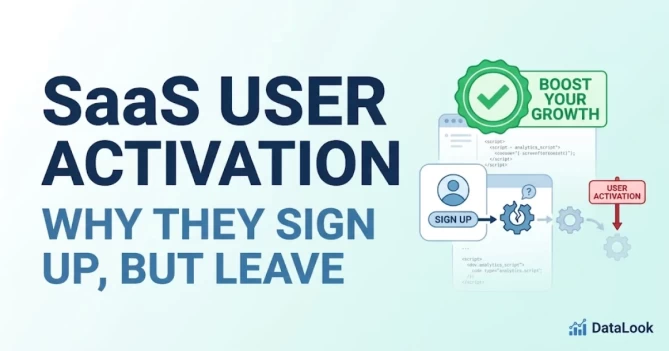
SaaS User Activation: Why Users Sign Up but Leave

I sent 10 emails to people who signed up for my analytics product, DataLook. So far, I haven't received a single reply.
DataLook is a product I built to help website owners understand which visitors actually become customers and which ones leave without taking action. To get started, users only need to add one tracking script to their website.
But here's the problem: 10 people signed up, and not a single one installed the script.

Instead of guessing why, I decided to ask them directly. I sent each user an email asking where they got stuck and what stopped them from completing the setup.
I was expecting some useful feedback. What I got was silence.


What Zero Email Replies Taught Me​

There are several possible reasons why nobody responded:
  • They signed up but forgot about the product.
  • My emails ended up in their spam folders.
  • They lost interest after registration.
  • DataLook wasn't important enough for them to spend time setting it up.
  • Something in the onboarding process made them give up.
The important lesson is that silence is still a signal, but it doesn't tell you the reason.
You can't build a better product based on assumptions alone.


I Changed the Onboarding Process Instead​

Rather than waiting for users to explain the problem, I decided to simplify the onboarding experience.
Previously, new users were presented with too many details before reaching the first important step.
I changed the flow so that the first thing users see is the tracking script installation process, followed by a way to verify that it's working.
The goal is simple: help users reach their first meaningful result as quickly as possible.


What I'm Measuring Next: User Activation​

I'm not focusing on the number of registrations anymore.
The metric I want to track is Activation Rate: how many registered users actually install the tracking script and get DataLook working.
This will help me understand whether the new onboarding flow is making a real difference.


5 Questions to Ask When Users Sign Up but Never Activate​

If you're building a SaaS product, website, or mobile app and people register but never complete the setup, ask yourself:
  1. 📊 Can you track where users drop off? Or do you only know how many people signed up?
  2. 🧩 Can you remove unnecessary steps? Every additional step creates another opportunity for users to leave.
  3. 🎯 Is the next action obvious? Do users know exactly what to do after signing in?
  4. 🔍 Have you tested the onboarding yourself? Go through the entire process as a new customer, from registration to getting the first real benefit.


Final Thoughts​

Getting users to register is only the first step. The real challenge is helping them experience the value of your product.
I'm still testing the new DataLook onboarding flow, so I don't know yet whether these changes will improve activation.
For now, I'll focus on one number: how many new users install the tracking script after signing up?
And if anyone replies to my emails, I'll share their feedback here, exactly as they send it.
Have you ever had users sign up for your product but never actually use it? What did you discover was stopping them?
x32x01
x32x01 ·
Posted in Tools Programming Languages Forum
17 0

Use GitHub Without Coding: 10 Practical Ways

GitHub isn't just for programmers. It's also a huge library of free tools, resources, templates, datasets, and productivity solutions that anyone can use without writing a single line of code.
Whether you're a student, business owner, content creator, researcher, or just someone looking for useful free tools, here are 10 practical ways to get more out of GitHub.


1. Understand the Basic GitHub Terms​

You only need to understand four basic terms to start using GitHub comfortably:
  • 📁 Repository (Repo): A project folder containing files, documents, and resources.
  • 📖 README.md: The main information file that explains what a project does and how to use it. Always read it first.
  • 🍴 Fork: Creates a copy of someone else's repository in your own GitHub account, allowing you to make changes without affecting the original.
  • ⭐ Star: Saves a repository to your starred list so you can find it later, much like a bookmark.


2. Download Free Software from GitHub​

Many developers publish free, open-source alternatives to paid software on GitHub.
You don't need to understand the source code to use these applications.
How to download a program:
  1. Open the project's GitHub repository.
  2. Look for the Releases section.
  3. Open the latest stable release.
  4. Download the file that matches your device.
01.webp
Common file formats include:
  • .exe for Windows.
  • .dmg for macOS.
  • .apk for Android, when provided.
⚠️ Important: Don't click the green Code button if you just want to install the application. It usually downloads the project files, not a ready-to-install program.
Always check the project's reputation, release history, and download files before installing anything.


3. Discover Free Resources with Awesome Lists​

⭐ Awesome Lists are curated collections of useful resources created by the GitHub community.
They bring together tools, websites, books, tutorials, courses, and other resources around a specific topic.
For example, search GitHub for:
  • Awesome AI: AI tools and resources.
  • Awesome Marketing: Marketing tools and guides.
  • Awesome Productivity: Productivity apps and workflows.
  • Awesome Prompts: Useful AI prompts.
  • Awesome Python: Python learning resources and tools.
02.webp

Tip: Search for awesome + your topic to discover useful resources in almost any field.


4. Manage Tasks and Projects with GitHub​

You don't have to be a developer to use GitHub's project management features.
Two tools are particularly useful:
  • 📌 Issues: Create tasks, record ideas, report problems, and track work that needs attention.
  • 📊 Projects: Organize tasks using boards, tables, and custom workflows.
For example, a content team can create a project board with three columns:
StatusExample
To DoWrite a new article
In ProgressEdit the article
DonePublish the article
03.webp
These features can help freelancers, students, business owners, and teams organize their work.


5. Learn Markdown for Better Writing​

Markdown is a simple formatting language used to create readable documents without complicated formatting tools.
GitHub uses it extensively in .md files.
Here are a few basic examples:
MarkdownResult
# HeadingMain heading
## SubheadingSmaller heading
Bold textBold text
Italic textItalic text
- ItemBullet point
Link -Clickable link
You can edit Markdown files directly from your browser using GitHub's editing interface.
Markdown is also useful when working with tools such as Obsidian and other note-taking applications.


6. Keep Document History and Restore Older Versions​

📚 GitHub can be useful for managing documents that change frequently.
Instead of creating multiple files like:
  • Report_Final.docx
  • Report_Final_2.docx
  • Report_Final_Really_Final.docx
You can keep documents in a repository and use Git commits to record changes.
Each commit creates a record of what changed and when.
This is useful for:
  • Research papers and study notes.
  • Book drafts and documentation.
  • Project plans.
  • Technical guides.
  • Collaborative writing.
You can also compare versions and restore older content when needed.
Note: GitHub repositories are not automatically private. Use a private repository for confidential documents, and remember that Git history can retain deleted information.


7. Create a Free Personal Website with GitHub Pages​

🌐 GitHub Pages lets you host static websites directly from a GitHub repository.
You can use it to create:
  • A personal portfolio.
  • An online resume (CV).
  • A project showcase.
  • A simple blog or documentation website.
04.webp
If you don't want to build a website from scratch, you can find ready-made portfolio templates on GitHub.
Search for:
portfolio website template
You can fork a template and edit its content through GitHub's browser interface.
Important: GitHub Pages requires website files in a supported format. Some templates also require configuration or build tools, so not every template can be published without technical knowledge.


8. Download Free Datasets for Research and Business​

📊 GitHub contains thousands of public datasets that can help students, researchers, analysts, and business owners.
You can find data related to:
  • Economics and financial statistics.
  • Geographic information.
  • Public health statistics.
  • Marketing and customer research.
  • Company and industry information.
Useful search terms include:
  • CSV datasets
  • Open data
  • Public datasets
  • Sales dataset
Many repositories contain CSV files that you can download and open directly in Microsoft Excel or Google Sheets.
Always check the dataset's source, update date, accuracy, and license before using it.


9. Share Notes and Text with GitHub Gists​

📝 GitHub Gists is a simple way to share text files through a direct link.
You can use it to share:
  • Meeting notes.
  • Useful text snippets.
  • Email templates.
  • Checklists.
  • Configuration examples.
  • Documentation.
05.webp
Gists have two main visibility options:
  • Public: Anyone can discover and view the Gist.
  • Secret: Not listed publicly, but anyone with the link can access it.
⚠️ Never store passwords, API keys, personal information, or confidential business data in a Gist, even if it's secret.


10. Evaluate Developers Through Their GitHub Profiles​

👨‍💻 If you're a business owner, startup founder, or hiring manager, GitHub can provide useful insights into a developer's work.
A developer's profile may show:
  • Public projects and repositories.
  • Programming languages and technologies.
  • Contributions to open-source projects.
  • Project documentation and code quality.
  • Collaboration and development activity.
One recognizable feature is the Contribution Graph, which displays activity using green squares.
06.webp
However, don't judge a developer only by the number of green squares.
Some developers work on private repositories, contribute through other platforms, or spend time on activities that aren't reflected in their contribution graph.
Look at the quality of their projects, problem-solving skills, documentation, and actual experience instead.


Final Thoughts​

GitHub is much more than a platform for storing code. It's a valuable resource for discovering free software, learning new skills, managing projects, finding datasets, and sharing documents.
You don't need to be a programmer to benefit from it.
Start by exploring repositories related to your interests, reading their README files, and starring useful projects. You may discover tools and resources that make your daily work much easier.
Register & Login Faster
Forgot your password?
Forum Statistics
Threads
1,213
Messages
1,221
Members
20
Latest Member
cositaricagerra
Back
Top