- by x32x01 ||

Choosing between a SATA SSD and an M.2 NVMe SSD isn't just about comparing advertised speeds. Both can make your computer feel much faster than a traditional HDD, but they differ in performance, response times, compatibility, heat, and real-world use.
So, is NVMe really worth the extra cost? Does it improve gaming performance? And does it last longer than a SATA SSD?
Let's compare both technologies and see which one makes more sense for your needs.
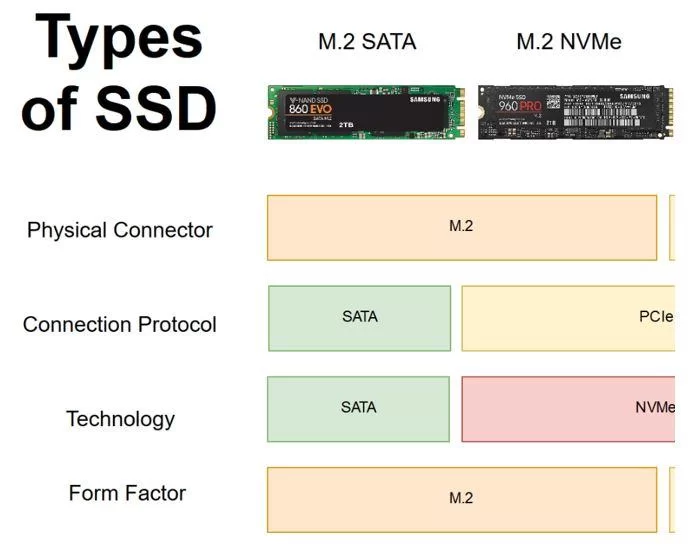
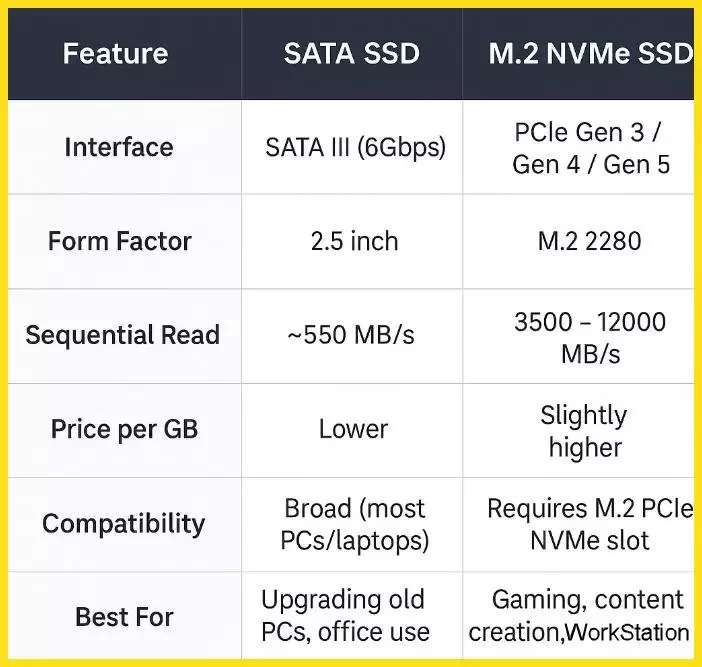
Although M.2 SATA and M.2 NVMe drives can look almost identical, their performance can be very different.
Here are the approximate maximum sequential read speeds of different SSD interfaces:
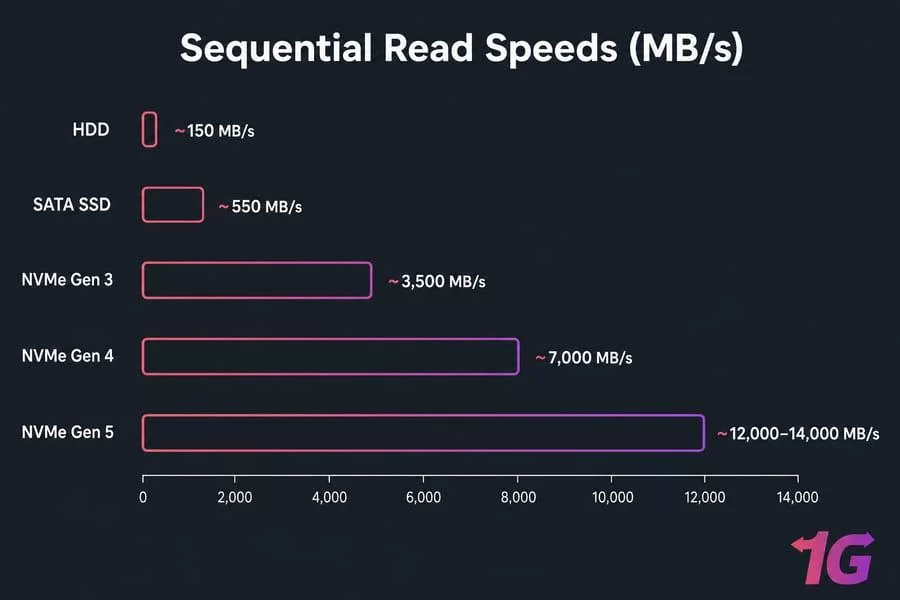 These numbers represent approximate sequential read speeds, not guaranteed performance for every drive. Actual results depend on the SSD controller, NAND memory, firmware, and system configuration.
The key takeaway: A high-end PCIe 5.0 NVMe SSD can deliver more than 20 times the sequential read speed of a SATA SSD.
However, higher benchmark numbers don't always translate into noticeably faster everyday performance.
This makes a difference in workloads that move or process large amounts of data.
For normal activities like browsing, opening documents, and launching common applications, the difference may be much smaller than the advertised speed gap suggests.
Your CPU, RAM, and application design also affect how quickly tasks are completed.
Not directly. An NVMe SSD mainly improves storage-related tasks, such as loading game files, loading levels, and transferring assets.
Here's what you should expect:
An SSD's endurance depends mainly on its internal components and specifications, not simply its interface.
Here are the most important factors:
Before buying an SSD, compare its TBW rating and warranty with other drives in the same capacity range.
And remember: no SSD is completely immune to sudden failure. Always keep a backup of important files.
If temperatures become too high, the SSD may reduce its performance to protect itself. This is called
Some high-speed NVMe drives benefit from:
Power consumption also varies between models, so NVMe isn't automatically less efficient than SATA.
Important compatibility warning:
Not every M.2 slot supports NVMe. Some support SATA only, others support PCIe/NVMe, and some support both.
Before purchasing, check your motherboard specifications for:
Choose SATA SSD if:
Choose NVMe SSD if:
However, SATA SSDs are still perfectly capable of handling everyday computing tasks.
My recommendation:
Yes, NVMe is significantly faster in storage-intensive tasks. However, everyday activities such as browsing and opening documents may feel quite similar on both drives.
Can I install an NVMe SSD in a SATA M.2 slot?
No. An M.2 slot that supports SATA only cannot operate an NVMe SSD. Always check your motherboard specifications.
Does NVMe increase gaming FPS?
Generally, no. NVMe mainly improves loading times and storage-related performance, not the actual frame rate.
Is a SATA SSD still worth buying?
Yes. It's still a good choice for older computers, everyday use, and affordable storage upgrades.
Which SSD has a longer lifespan, SATA or NVMe?
Neither interface guarantees a longer lifespan. Endurance depends on NAND technology, TBW, capacity, controller quality, and the specific model.
So, is NVMe really worth the extra cost? Does it improve gaming performance? And does it last longer than a SATA SSD?
Let's compare both technologies and see which one makes more sense for your needs.
1. M.2 vs. NVMe: What's the Difference?
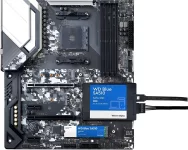
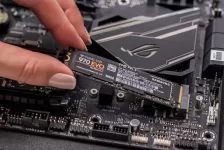
First, there's an important distinction: M.2 is a physical form factor, while NVMe is a storage protocol.- M.2: Describes the physical shape and connector used by an SSD.
- NVMe: A storage protocol designed to communicate with SSDs over PCIe.
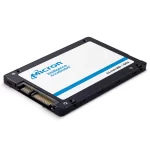
- SATA: An older storage interface used by traditional 2.5-inch SSDs and some M.2 drives.
Although M.2 SATA and M.2 NVMe drives can look almost identical, their performance can be very different.
2. SSD Speed Comparison: SATA vs. NVMe
This is where NVMe has a major advantage.Here are the approximate maximum sequential read speeds of different SSD interfaces:
| SSD Type | Typical Maximum Read Speed |
|---|---|
| SATA III SSD | 500–560 MB/s |
| PCIe 3.0 x4 NVMe | Up to 3,500 MB/s |
| PCIe 4.0 x4 NVMe | Up to 7,500 MB/s |
| PCIe 5.0 x4 NVMe | Up to 14,000 MB/s |
The key takeaway: A high-end PCIe 5.0 NVMe SSD can deliver more than 20 times the sequential read speed of a SATA SSD.
However, higher benchmark numbers don't always translate into noticeably faster everyday performance.
3. Real-World Performance: Does NVMe Feel Faster?
NVMe offers more than higher sequential speeds. It provides lower latency and supports more parallel input/output operations than traditional SATA storage.This makes a difference in workloads that move or process large amounts of data.
| Task | Better Choice |
|---|---|
| Large file transfers | NVMe |
| 4K video editing | NVMe |
| Virtual machines | NVMe |
| Large databases | NVMe |
| Heavy multitasking | NVMe |
| Web browsing | Both |
| Office applications | Both |
| Everyday Windows use | Both |
Your CPU, RAM, and application design also affect how quickly tasks are completed.
4. Gaming and Windows Boot Times 🎮
Does an NVMe SSD increase gaming FPS?Not directly. An NVMe SSD mainly improves storage-related tasks, such as loading game files, loading levels, and transferring assets.
Here's what you should expect:
- Game loading: NVMe can reduce loading times in some games.
- FPS: Switching from SATA to NVMe usually doesn't produce a meaningful increase in average FPS.
- Windows startup: Both SSD types offer fast boot times compared with traditional HDDs.
- Game asset streaming: NVMe can help in games designed to take advantage of faster storage.
5. SSD Lifespan: Does NVMe Last Longer Than SATA?
Not necessarily. NVMe does not automatically mean a longer lifespan, and SATA doesn't mean lower durability.An SSD's endurance depends mainly on its internal components and specifications, not simply its interface.
Here are the most important factors:
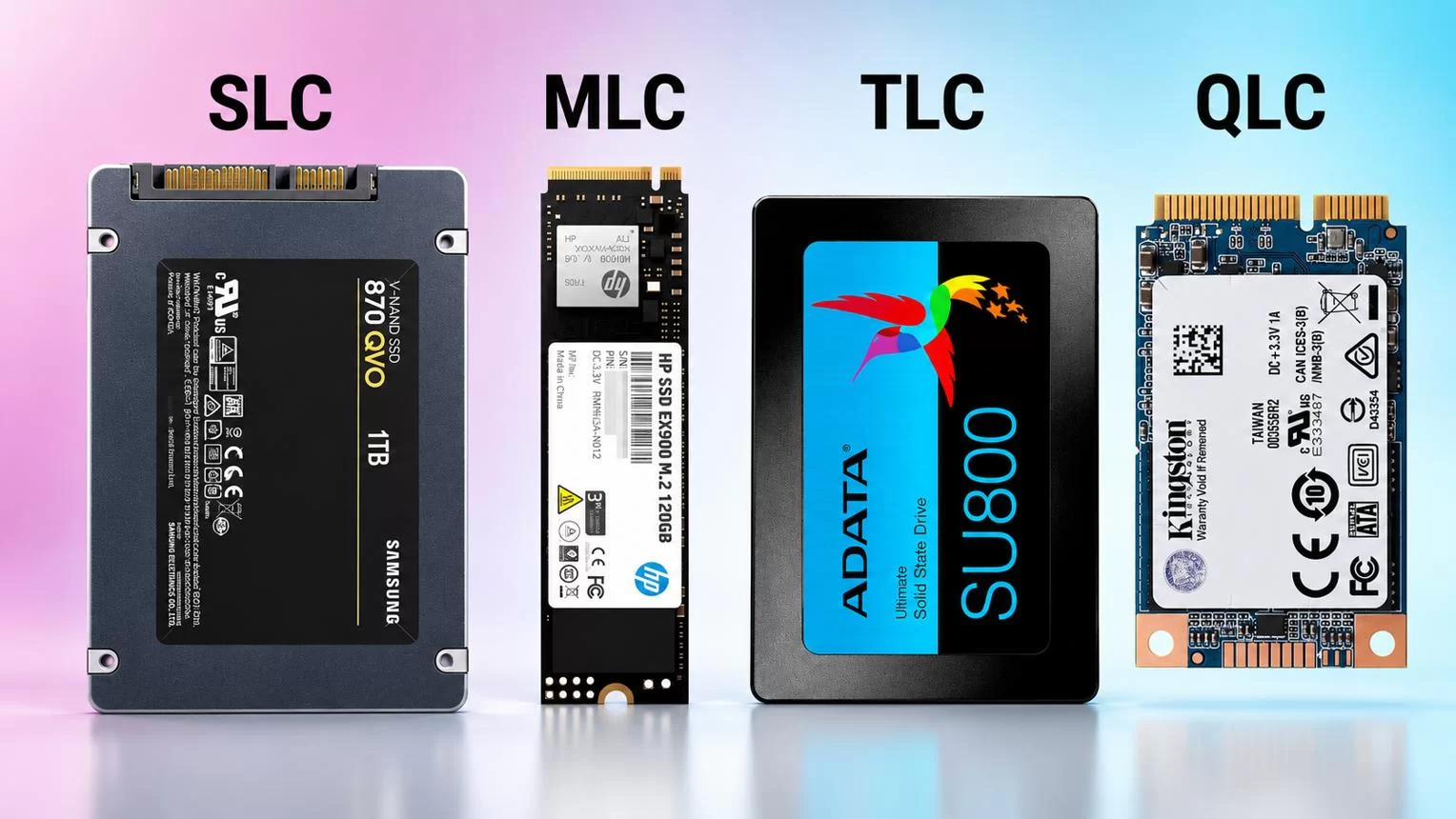
- NAND type: TLC and QLC memory have different endurance characteristics. TLC generally offers higher write endurance than QLC.
- TBW (Terabytes Written): Indicates the total amount of data the manufacturer rates the drive to handle over its warranty period.
- Controller quality: Affects performance, wear management, and reliability.
- Capacity: Higher-capacity drives often have higher total write endurance.
- Warranty: Helps you understand the manufacturer's coverage and endurance commitment.
Before buying an SSD, compare its TBW rating and warranty with other drives in the same capacity range.
And remember: no SSD is completely immune to sudden failure. Always keep a backup of important files.
6. Heat and Power Consumption 🌡️
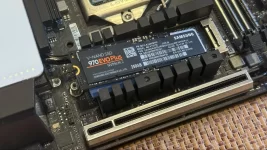
High-performance NVMe SSDs, especially PCIe 4.0 and PCIe 5.0 models, can generate considerable heat during sustained workloads.If temperatures become too high, the SSD may reduce its performance to protect itself. This is called
Thermal Throttling.Some high-speed NVMe drives benefit from:
- Motherboard M.2 heatsinks.
- Dedicated SSD heatsinks.
- Proper airflow inside the case.
Power consumption also varies between models, so NVMe isn't automatically less efficient than SATA.
7. Compatibility, Installation, and Price
Before buying an SSD, make sure your motherboard supports the drive you want.| Feature | 2.5-inch SATA SSD | M.2 NVMe SSD |
|---|---|---|
| Connection | SATA cables | M.2 slot |
| Interface | SATA III | PCIe |
| Performance | Lower | Much higher |
| Installation | Requires cables | Installs directly |
| Compatibility | Older systems | Requires NVMe support |
| Cooling | Usually simple | May need a heatsink |
Not every M.2 slot supports NVMe. Some support SATA only, others support PCIe/NVMe, and some support both.
Before purchasing, check your motherboard specifications for:
- M.2 NVMe support.
- Supported PCIe generation.
- Supported drive sizes.
- Available PCIe lanes and slot limitations.
8. SATA SSD vs. NVMe: Which One Should You Buy?
The best choice depends on your workload and hardware.Choose SATA SSD if:
- You have an older computer.
- You mainly browse, study, and use office applications.
- You already own a working SATA SSD.
- You want an affordable upgrade from an HDD.
Choose NVMe SSD if:
- You're building a new PC.
- You edit 4K videos or work with large projects.
- You frequently transfer large files.
- You run virtual machines or demanding applications.
Final Verdict: SATA SSD or NVMe?
NVMe clearly wins in raw speed, sequential transfers, and storage-intensive workloads. PCIe 4.0 is an excellent balance of performance and practicality for most modern PC users.However, SATA SSDs are still perfectly capable of handling everyday computing tasks.
My recommendation:
- For a new PC: Choose a good PCIe 4.0 NVMe SSD if your motherboard supports it.
- For an older PC: A SATA SSD can be an excellent upgrade.
- For gaming: Prioritize a good SSD, but don't expect a major FPS increase from NVMe alone.
- For long-term reliability: Compare NAND quality, TBW, warranty, and manufacturer reputation rather than focusing only on SATA or NVMe.
Frequently Asked Questions
Does NVMe make a computer faster than SATA SSD?Yes, NVMe is significantly faster in storage-intensive tasks. However, everyday activities such as browsing and opening documents may feel quite similar on both drives.
Can I install an NVMe SSD in a SATA M.2 slot?
No. An M.2 slot that supports SATA only cannot operate an NVMe SSD. Always check your motherboard specifications.
Does NVMe increase gaming FPS?
Generally, no. NVMe mainly improves loading times and storage-related performance, not the actual frame rate.
Is a SATA SSD still worth buying?
Yes. It's still a good choice for older computers, everyday use, and affordable storage upgrades.
Which SSD has a longer lifespan, SATA or NVMe?
Neither interface guarantees a longer lifespan. Endurance depends on NAND technology, TBW, capacity, controller quality, and the specific model.